
Ekattor Student Assignment Addon
Introduction This add-on provides your school teachers to create assignments online. Teachers digitally put their assignment questions or home works using this add-on inside your school’s Ekattor portal, and students can answer the assignments from their home. Teachers can review the submitted answers from students and give marks for them. How it works Ekattor school ERP should be pre-installed in your server Purchase assignment add-on for Ekattor ERP from Codecanyon Downloa…
All source code listed on this site is collected from the internet. If any listing infringes your rights, please contact us and we will remove it immediately.
Description
Introduction
This add-on provides your school teachers to create assignments online.Teachers digitally put their assignment questions or home works using this add-on inside your school’s Ekattor portal, and students can answer the assignments from their home. Teachers can review the submitted answers from students and give marks for them.
How it works
- Ekattor school ERP should be pre-installed in your server
- Purchase assignment add-on for Ekattor ERP from Codecanyon
- Download and install the add-on to your Ekattor ERP application
- Login to Ekattor School Erp as a teacher
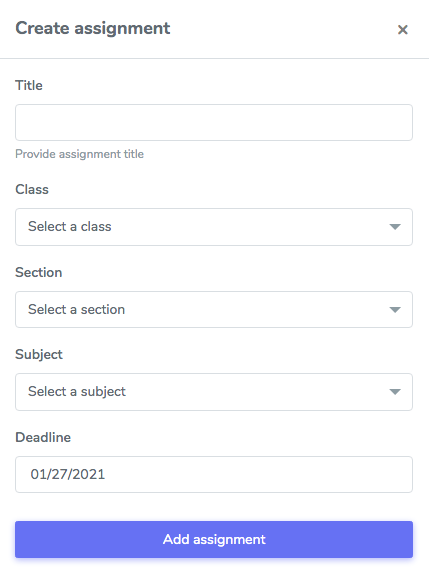
- Create assignments for a specific class and subject
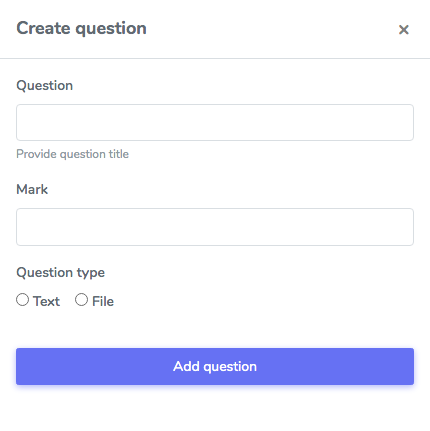
- Create questions for that assignment
- Set a due date for the submission of the assignment
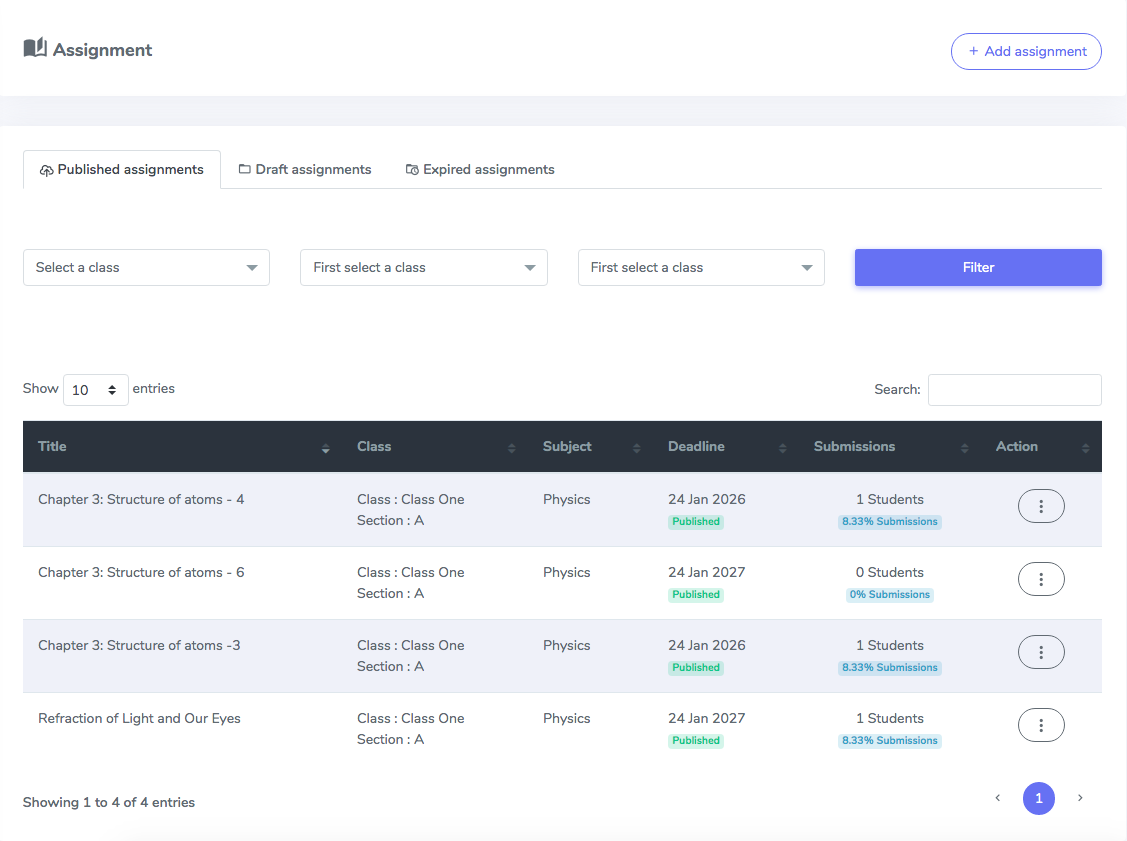
- Now publish the assignment for the students
- Once the assignment is published, the students will see it on their portal
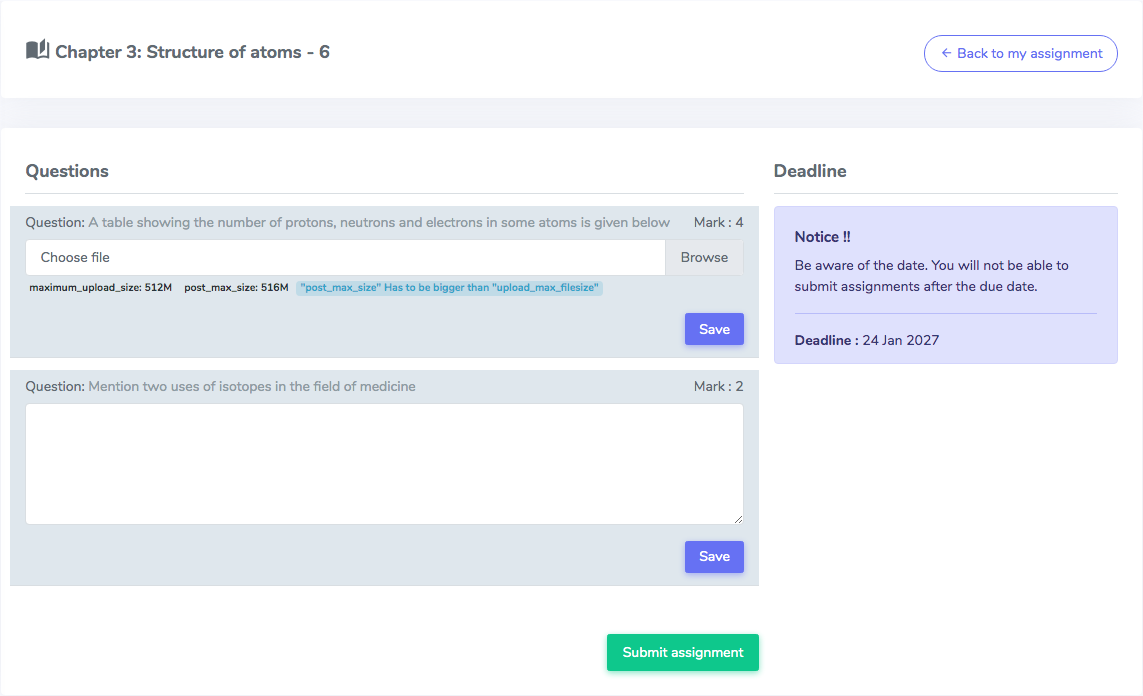
- Students will be able to submit their answers till the due date
- Observe the answers of the students after passed the due date of assignment submission, and give marks
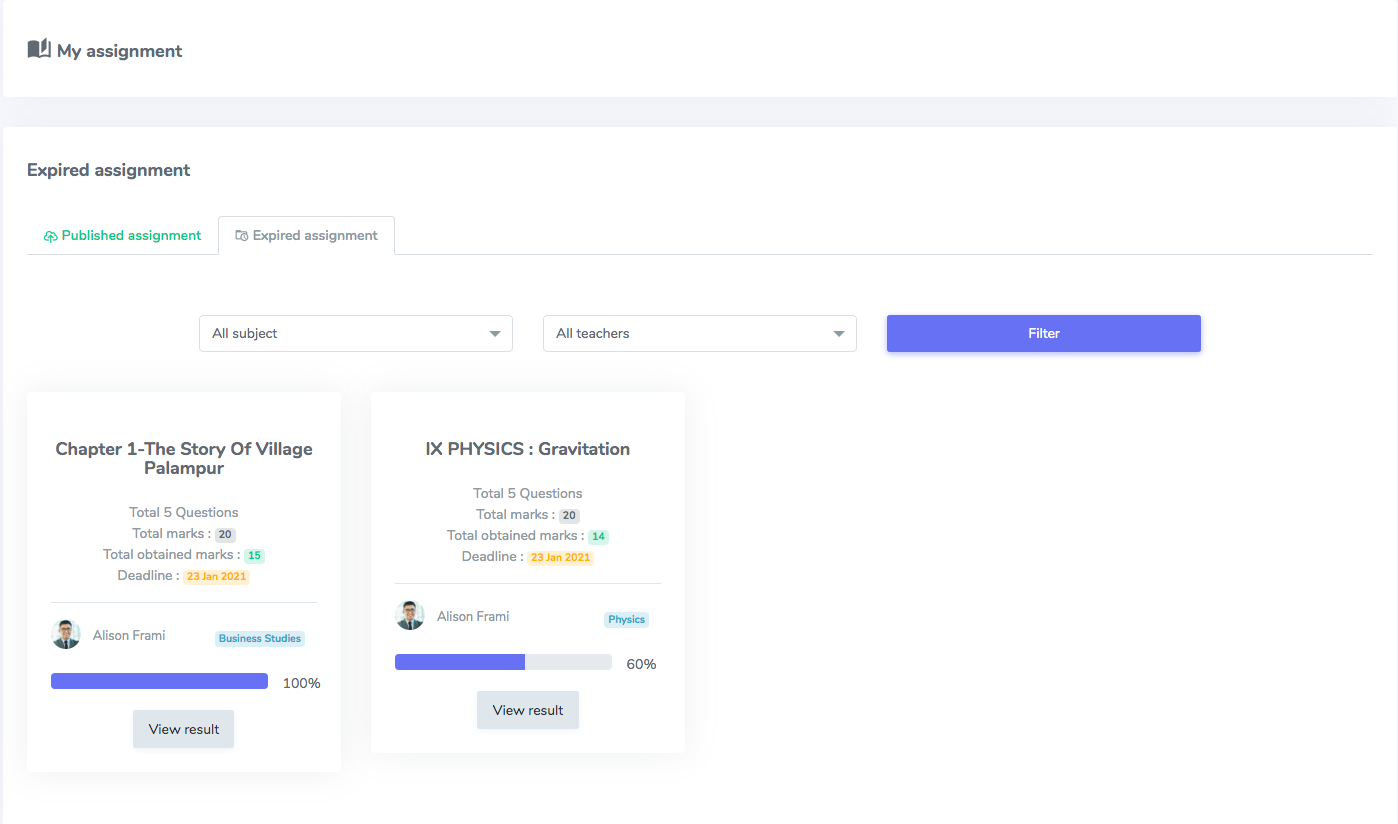
- Students will be able to view the results of their assignments from their portal
Demo
https://demo.creativeitem.com/verify/student-assignmentScreenshots
Student panel: Assignment listing page. Filterable by subject and teacher Student panel: Answers submission page. Students submit their answers from here Student panel: Assignment listing page. Students will see the results of assignments here. Teacher panel: Assignment listing page. All published assignments for students. Teacher panel: Assignment creation form. The teacher creates the assignment from here. Teacher panel: Question creation form. Adds the question of assignment here.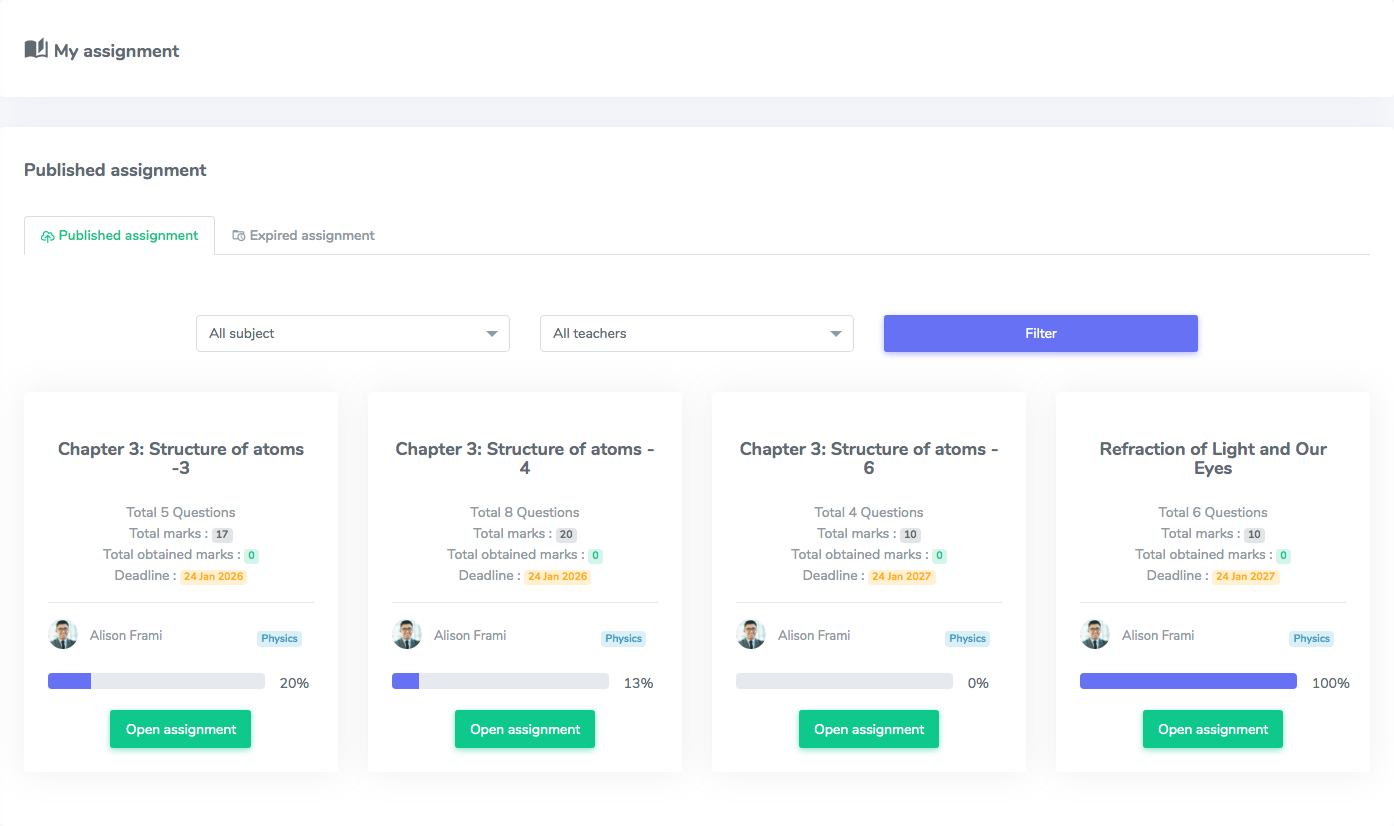
Requirements :
- Ekattor School Erp pre-installed in your web server.
- Download Ekattor here – https://1.envato.market/1M4Wz
Support
Send us a ticket for presale questions and getting after sales developer support via Zendesk. http://support.creativeitem.comRelated products
More digital goods in the same category or with similar tags.

PHP Scripts / Project Management Tools
TeamWork - Project Management System

PHP Scripts / Project Management Tools
e-Real Estate - Property Management with Complete Accounts

PHP Scripts / Project Management Tools
Ekattor Online Course Addon

PHP Scripts / Project Management Tools
Academy LMS Paystack Payment Addon

PHP Scripts / Project Management Tools
LibraryHub | Digital Library Management System

PHP Scripts / Project Management Tools
Hotel Management System Pro

PHP Scripts / Project Management Tools
Ekattor School Alumni Addon

PHP Scripts / Project Management Tools
Ekattor Student ID Card Addon
Ekattor Student Assignment Addon
After successful payment, you will receive a download link for the source code